
Your paperwork, filled from the deal and signed online.
Upload the PDFs you already use, map the fields once, and every purchase agreement, disclosure and addendum fills itself from the deal. Collect missing answers from the buyer with a link, send for e-signature, and file the signed copy automatically.
Set up a template once, use it on every deal
- 1
Upload your PDF
Fillable or flat. Auto-map places boxes on form fields, finds printed lines, and reads checkbox groups across the first 15 pages.
- 2
Map the sources
Point each box at a contact, opportunity, home, pricing or custom field. Anything unmatched goes to a quick review walkthrough.
- 3
Generate on the deal
See the real PDF fill in. Edits save back to the CRM. Each generation becomes a new version and is shared to the portal.
- 4
Collect and sign
Send an intake link for the blanks, then route to the buyer, co-buyer and rep for signature on your own site.
Map a 20-page contract in minutes, not an afternoon
Draw a box, or let auto-map do it. Boxes snap to printed lines and to each other, text sizes itself to fit, and checkbox groups come through as real checkboxes.
- Fill from the primary and second contact, the opportunity, the assigned rep and your company details per location
- Home data straight from the catalog: supplier, series, model, serial or VIN, year, beds, baths, square feet, dimensions
- Address down to county and parcel number, plus full pricing breakdowns for site work and add-ons
- One-off answers with defaults for the questions that change every deal
Signatures that happen on your website
Each signer gets their own email and signs on your domain. Signature, initials, date and typed-value boxes are placed in the template, so there is nothing to drag around at send time.
- Signers: primary contact, second contact, the assigned rep or a specific teammate
- Statuses on the deal: out for signature, partly signed, signed
- Signed copies carry an audit trail and cannot be deleted
- Customer intake links collect only the missing fields, expire in 14 days and can go straight on to signing
Required documents per stage, filed where the team expects
Standard folders apply to every opportunity and teams can add folders per deal. Mark a template as required from a stage and Trove builds a Waiting on checklist with a task that closes itself when the document is generated.
- Every generation is a new version, so v1, v2 and v3 are always available
- Generated documents are shared to the customer portal automatically
- Attach any document to an email without re-uploading
- Credit application files stay rep-only behind expiring secure links
Also included
Project PDF builder
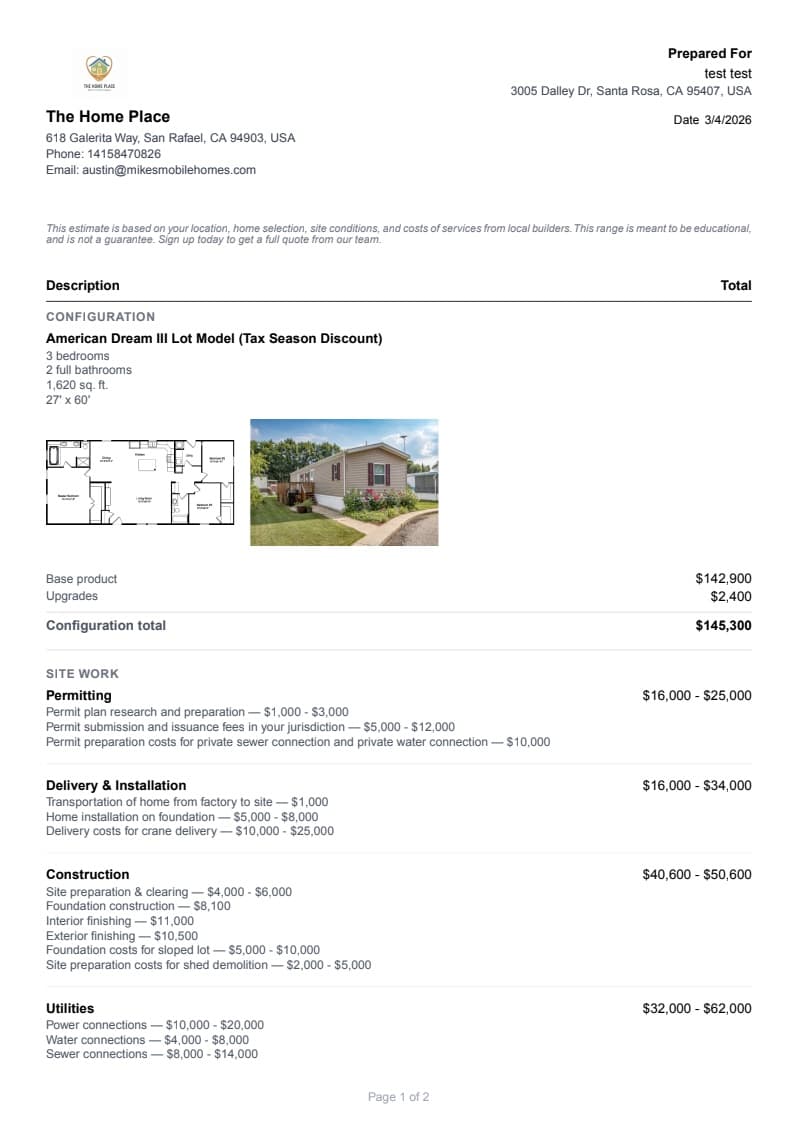
Assemble a branded proposal from the deal: home and pricing, specs, design selections, smart renderings, floor plan, site conditions and a site plan map. Toggle and reorder sections, add notes, and it lands in the Project PDFs folder.
Pricing that matches the quote
Estimates, quotes, add-ons and totals fill from the same numbers the buyer saw, so the contract never disagrees with the proposal.
Review walkthrough
Unmatched fields are resolved in one pass: pick a source, create a custom field or resolve all as one-off answers.
Versioning
Regenerate after a change order and keep every prior version alongside it.
Email attachments
Attach up to 10 documents from the deal to a connected-mailbox email in one click.
Portal sharing
Buyers see generated and signed documents in their portal without anyone emailing a PDF.
Frequently asked questions
Stop retyping the same deal into five forms.
Send us your purchase agreement and disclosures and we will have them mapped before your first training session.
Get started with Trove
Bolster your sales & product team with Trove